
Custom Attributes in Transact allow you to add custom fields for products, shipments and Screening Cases. These may be specific specs that relate to the product, shipments or screenings that are not available in other areas of the system.
To add custom product, shipment or screening case attributes click on the gear settings icon by your user profile icon.
The Custom Attributes menu will appear on the left sidebar.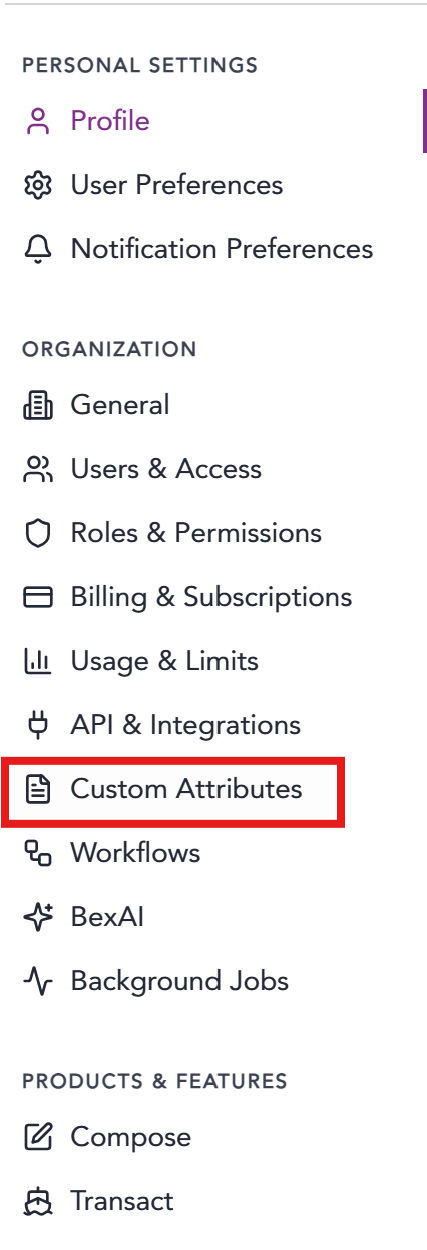
To add custom attributes select the Entity Type and click the +Add Attribute button.
| Products | Example: Display Name Data Field label: Laser Color Data Field Text Description : What color is the laser? Data Type: Text box, yes/no, multi-select, etc.
|
Shipments | Example: Display Name Data Field label: Data Field Text Description : Data Type: Text box, yes/no, multi-select, etc.
|
| Screening Cases | Example: Display Name Data Field label: Data Field Text Description : Data Type: Text box, yes/no, multi-select, etc.
|
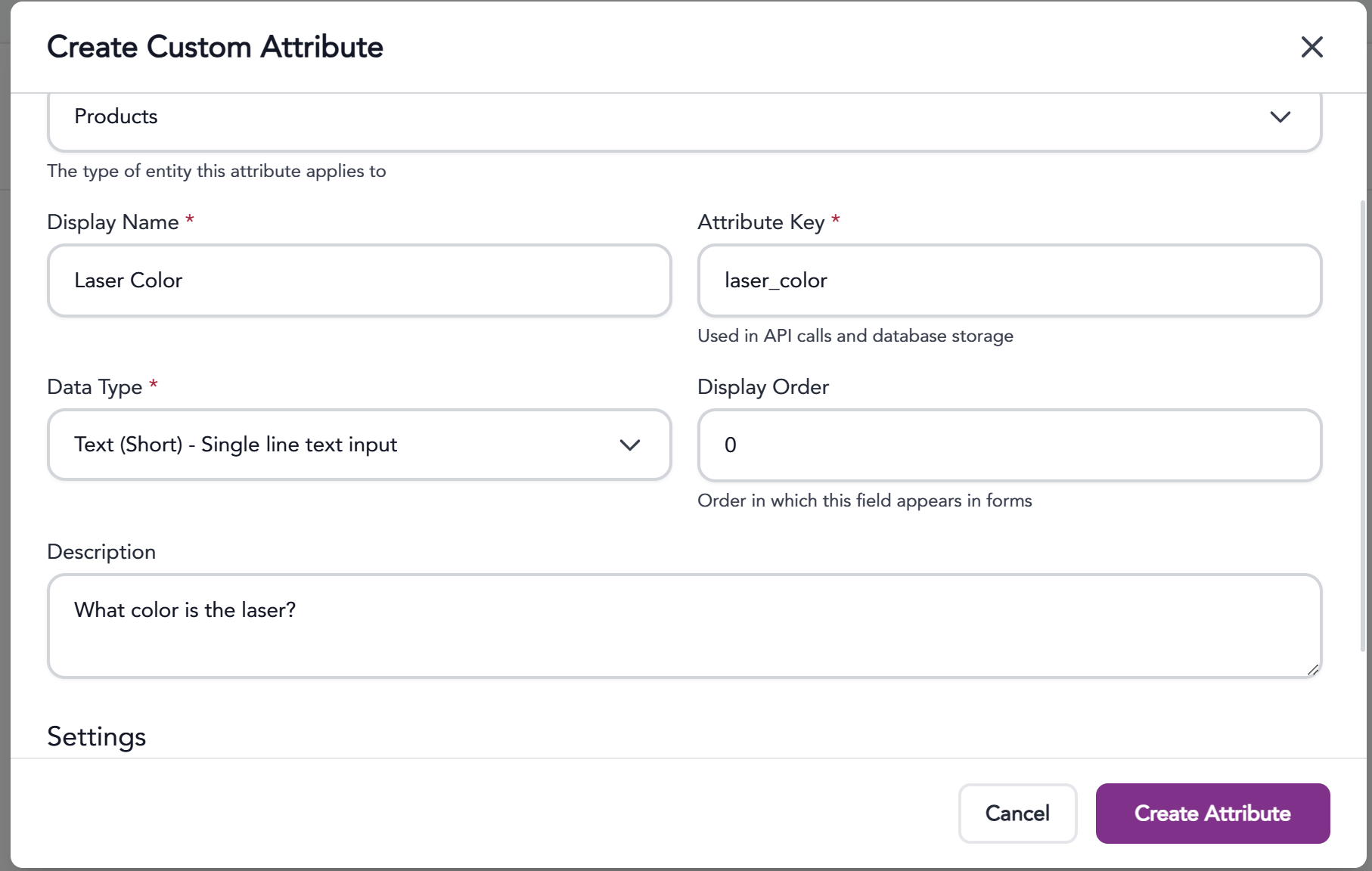
Be sure to click the Create Attribute button to save!
The information provided on this website does not, and is not intended to, constitute legal advice; instead, all
information, content, and materials available on this site are for general informational purposes only.