There are multiple ways to view Screening History.
From the Screen application dashboard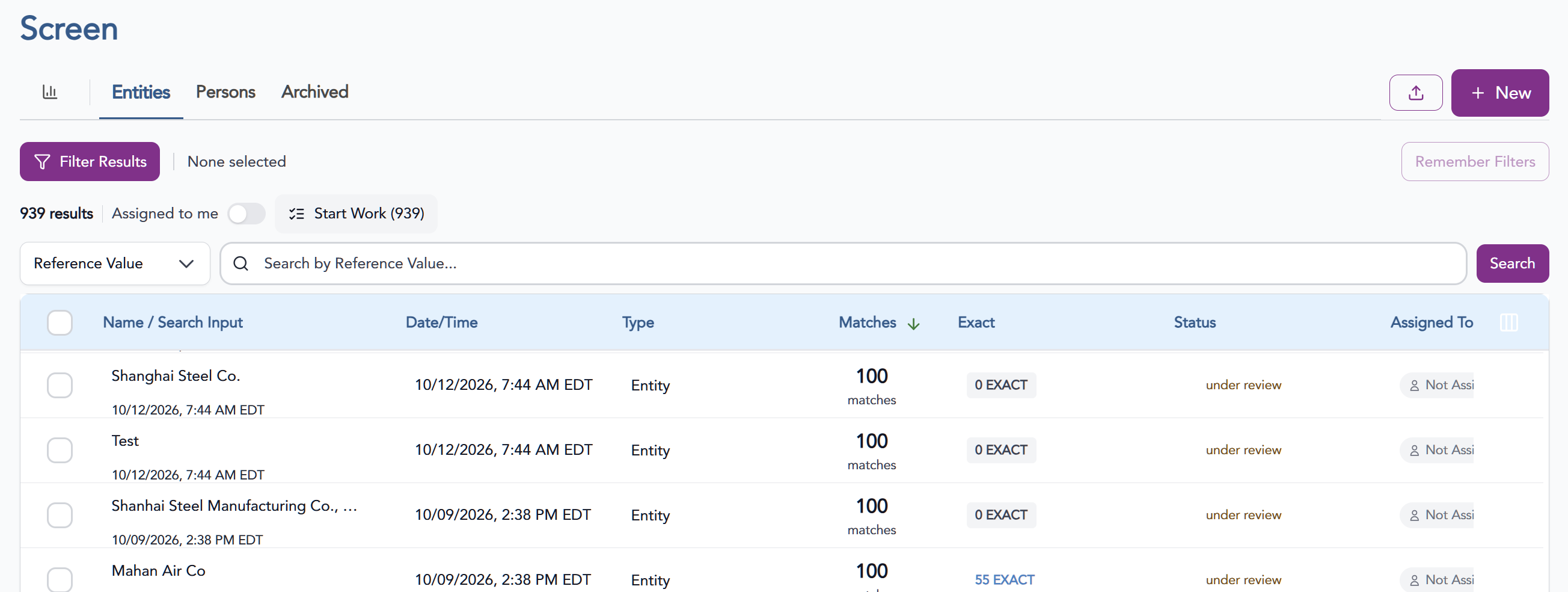
- Filter Results
- Name
- Case Number
- Reference Type
- Reference Value
- Provide the Value and click Search. This results will allow the user to view, resolve, and/or email the results of past screenings. The default sort on the table is by date, with the most recent at the top.
- To view a previous search, click anywhere on the line for the found screenings.
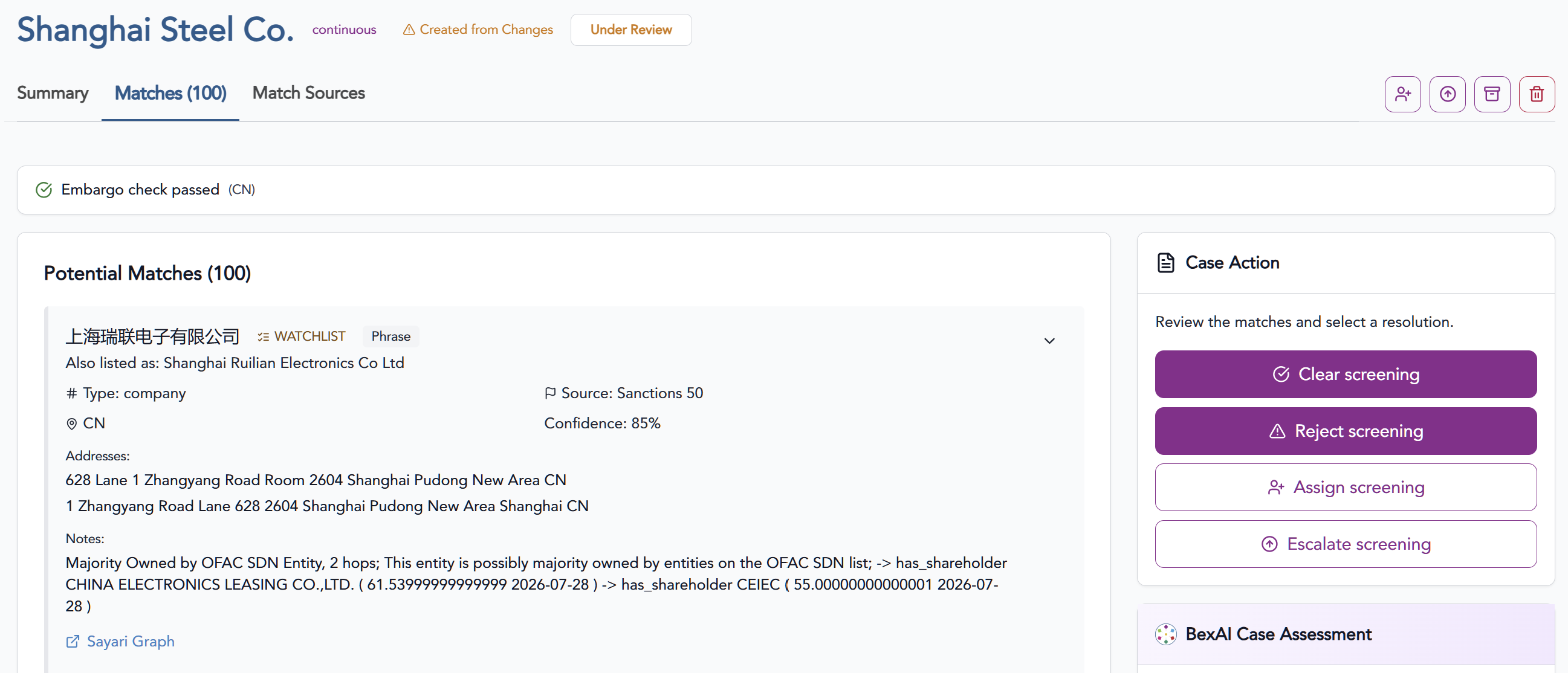
- From here, you'll be able to see potential matches, actions taken, email results, view comments along with the ability to resolve/unresolve to take additional action.
From the Transact application within a Shipment
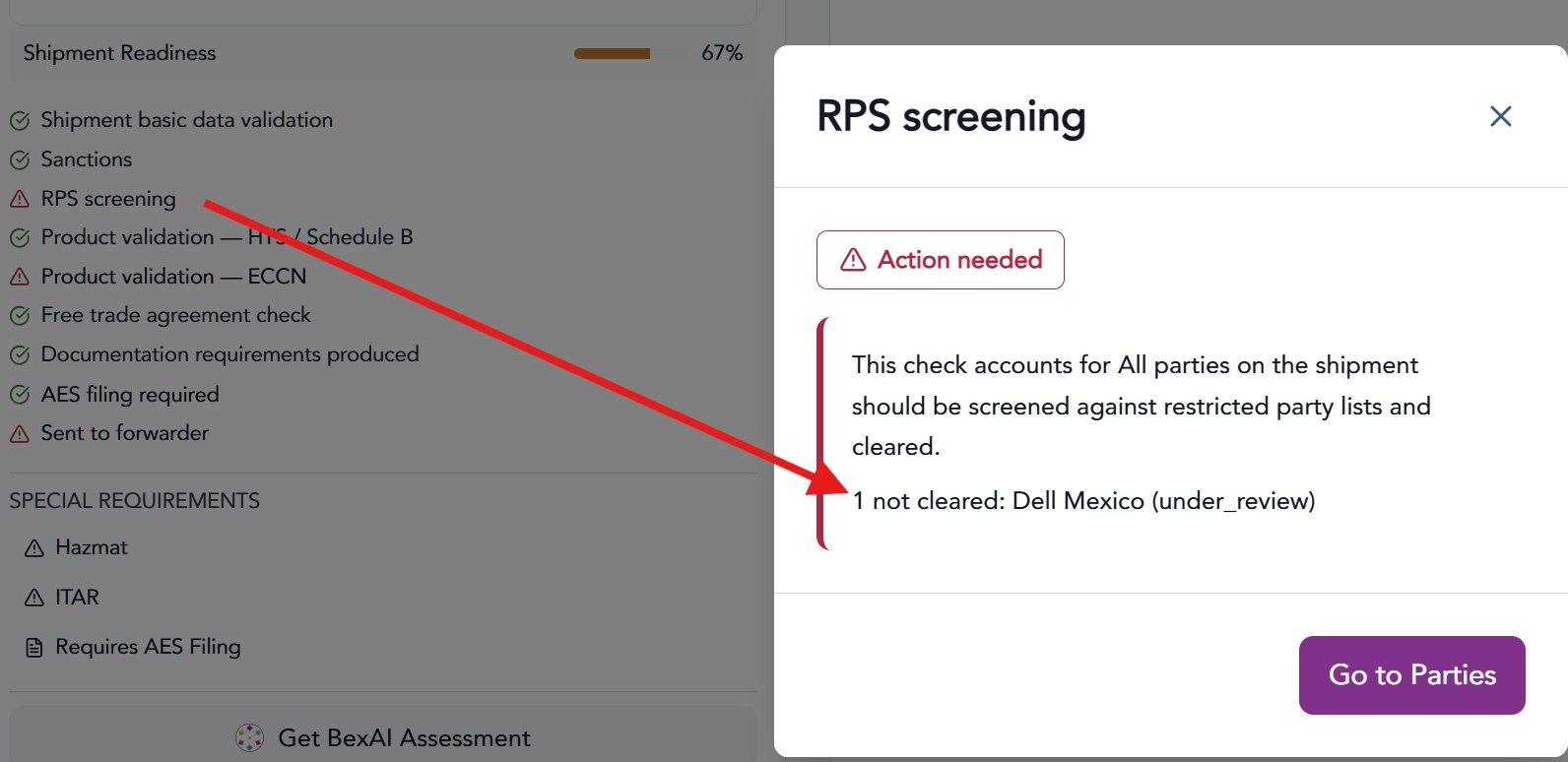
- The Shipment Summary screen will show a red caution arrow under the shipment readiness block. Clicking the Red arrow will provide more detail with a link to go to the Entities view.
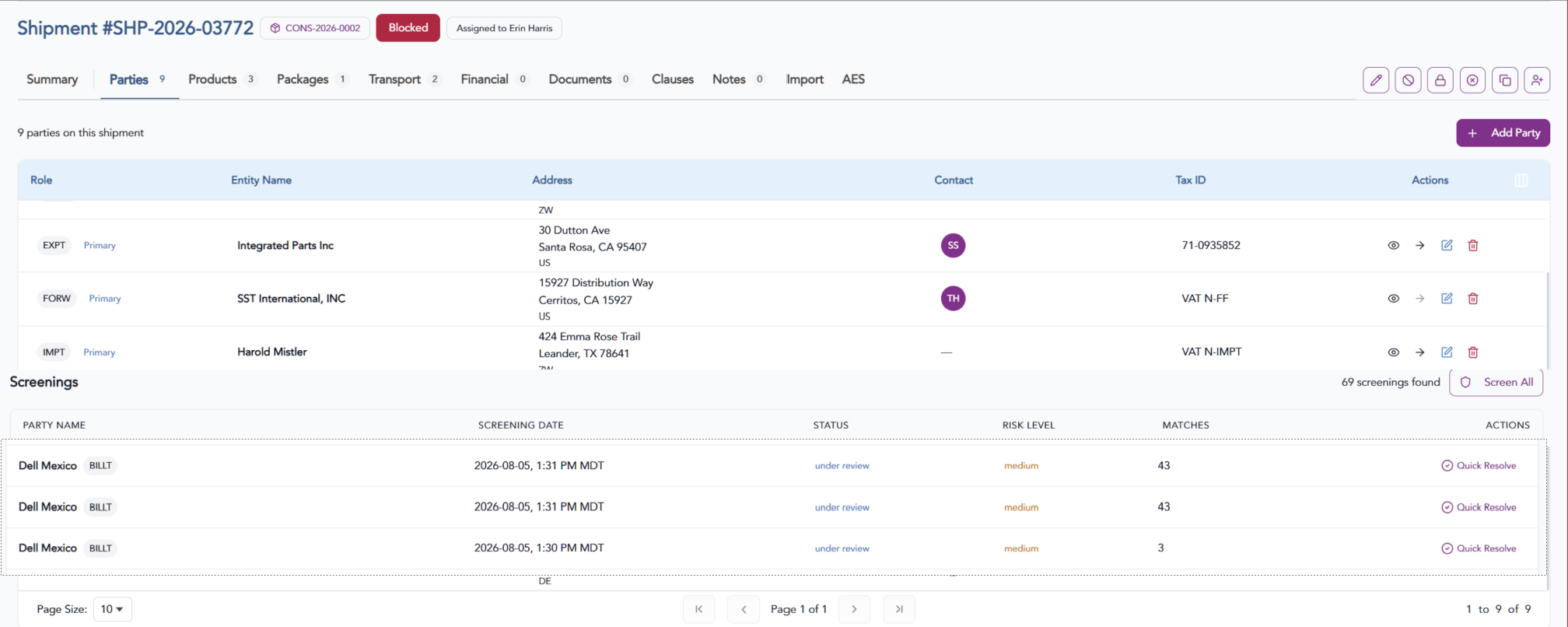
- The Entities view will show each party associated with the shipment. Scrolling towards the bottom of the page will be a list of screenings with the current status, risk level and number of matches for each entity with a link to review and resolve as needed.