
Only users with special permissions can block or unblock shipments in Transact.
Blocking a Shipment
1.While within the shipment and on the shipment summary screen, click on the block icon.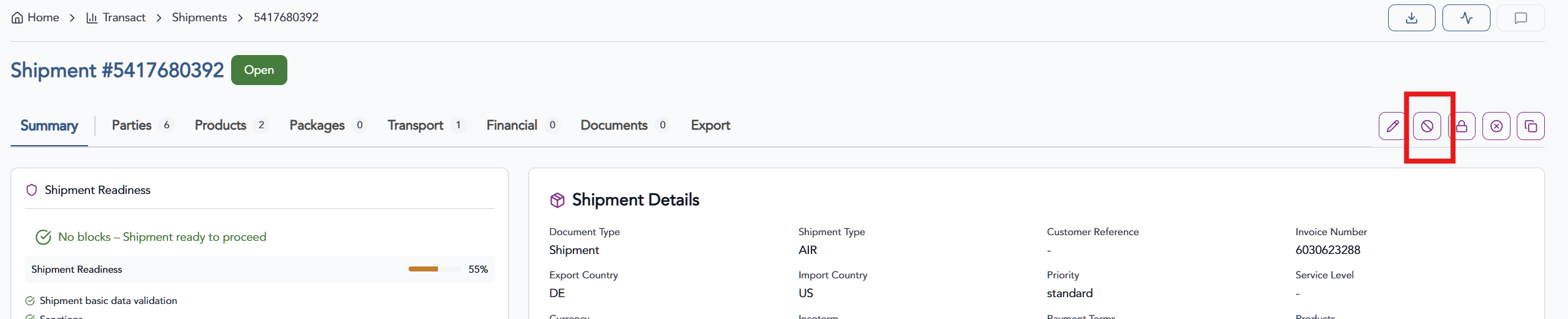
2. You will be asked to confirm and will be able to provide notes detailing why the shipment is blocked.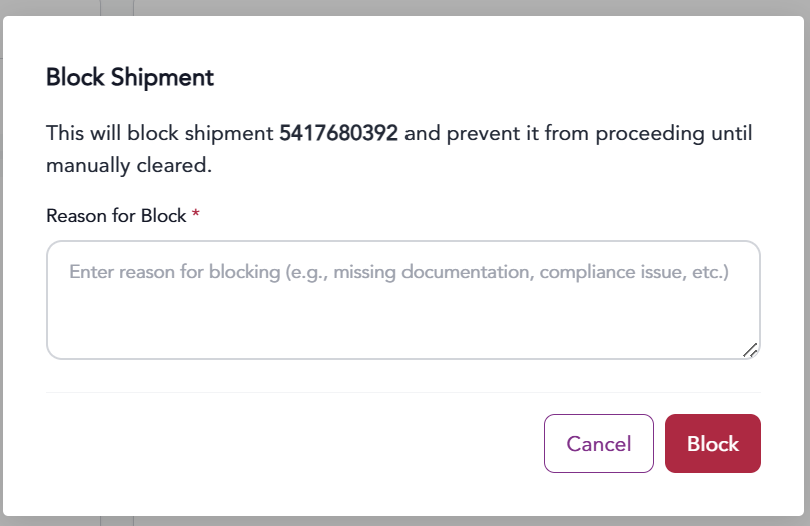
3. Press the Block button to finalize.
Unblocking a Shipment
1. While within the shipment and on the shipment summary screen, click on the Clear Block button.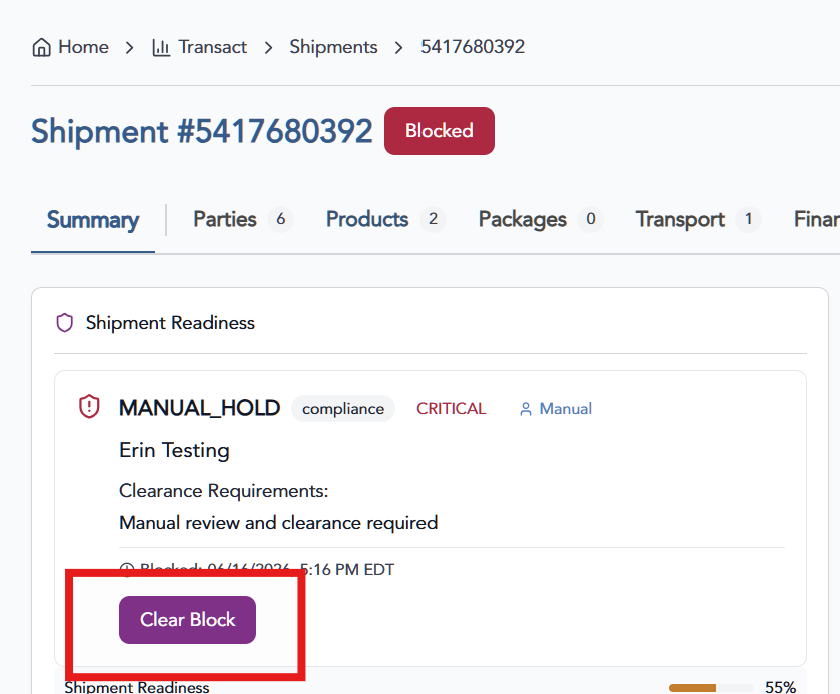
2. Provide details on why the block is cleared and click the Confirm Clear button.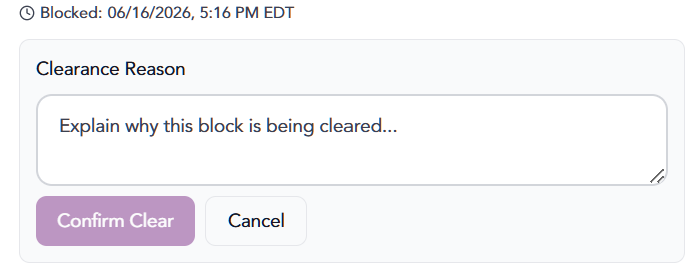
The information provided on this website does not, and is not intended to, constitute legal advice; instead, all information, content, and materials available on this site are for general informational purposes only.