
To submit an AES filing through Trabex Shipment Management, you need an exporter's account and be logged in with ACE before proceeding.
Before a user can submit to ACE, that user must be certified by the US government and provided a username and password. Visit this government website on how to create an account https://www.census.gov/foreign-trade/aes/aesdirect/transitiontoace.html
The process to send data to AES starts with the user signing into the ACE portal with his or her authorized Exporter account.
Submit an AES Filing Through Trabex
- Have your ACE account created and logged in to the AES/ACE website.
- Within Transact, navigate to the shipment you want to file.
- Click on the AES tab on the top header row from the main shipment page.

- The AES tab provides a summary of all AES required data.
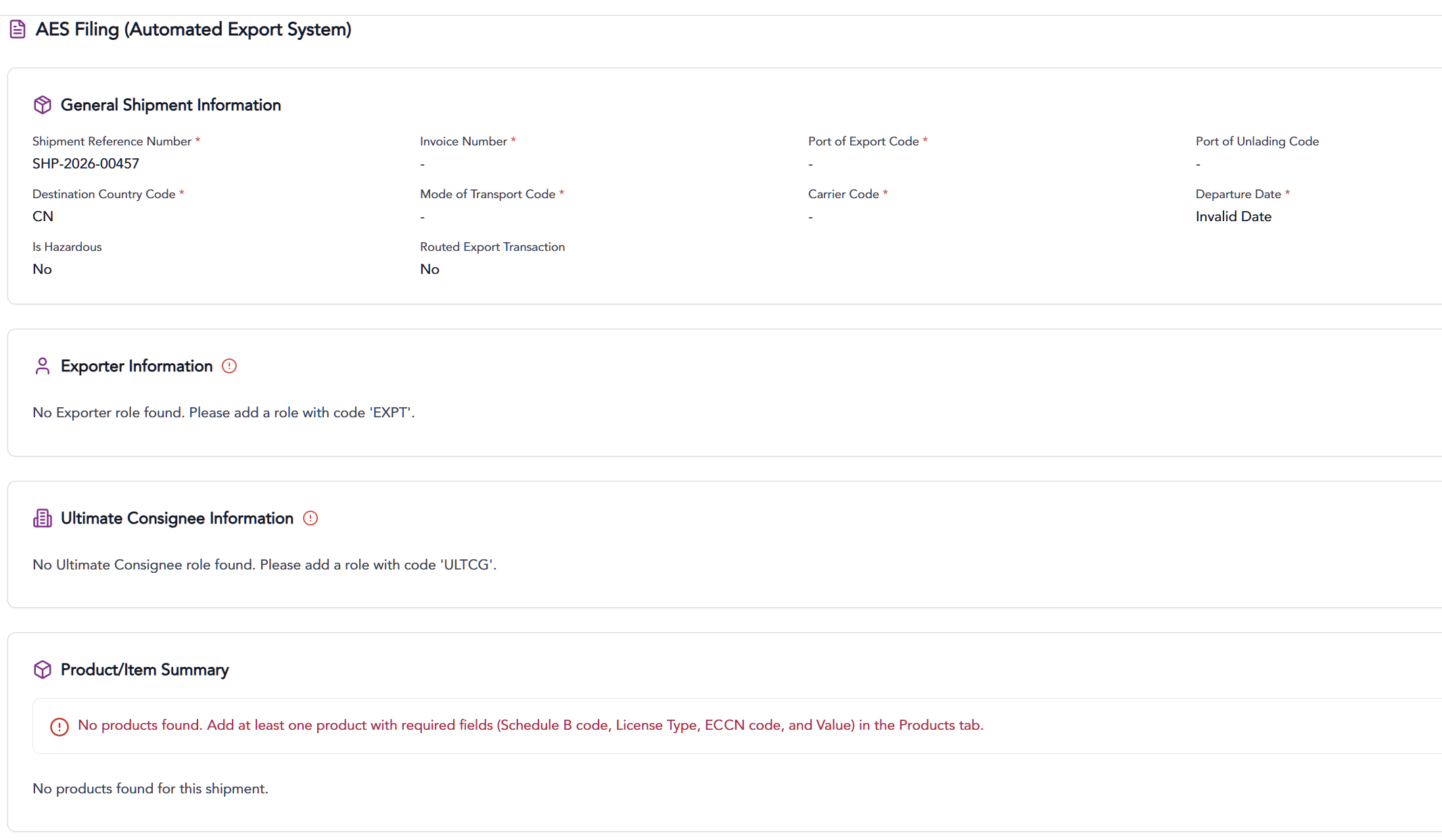
- To further validate the shipment data before filing, click the Validate button on the bottom of the page.
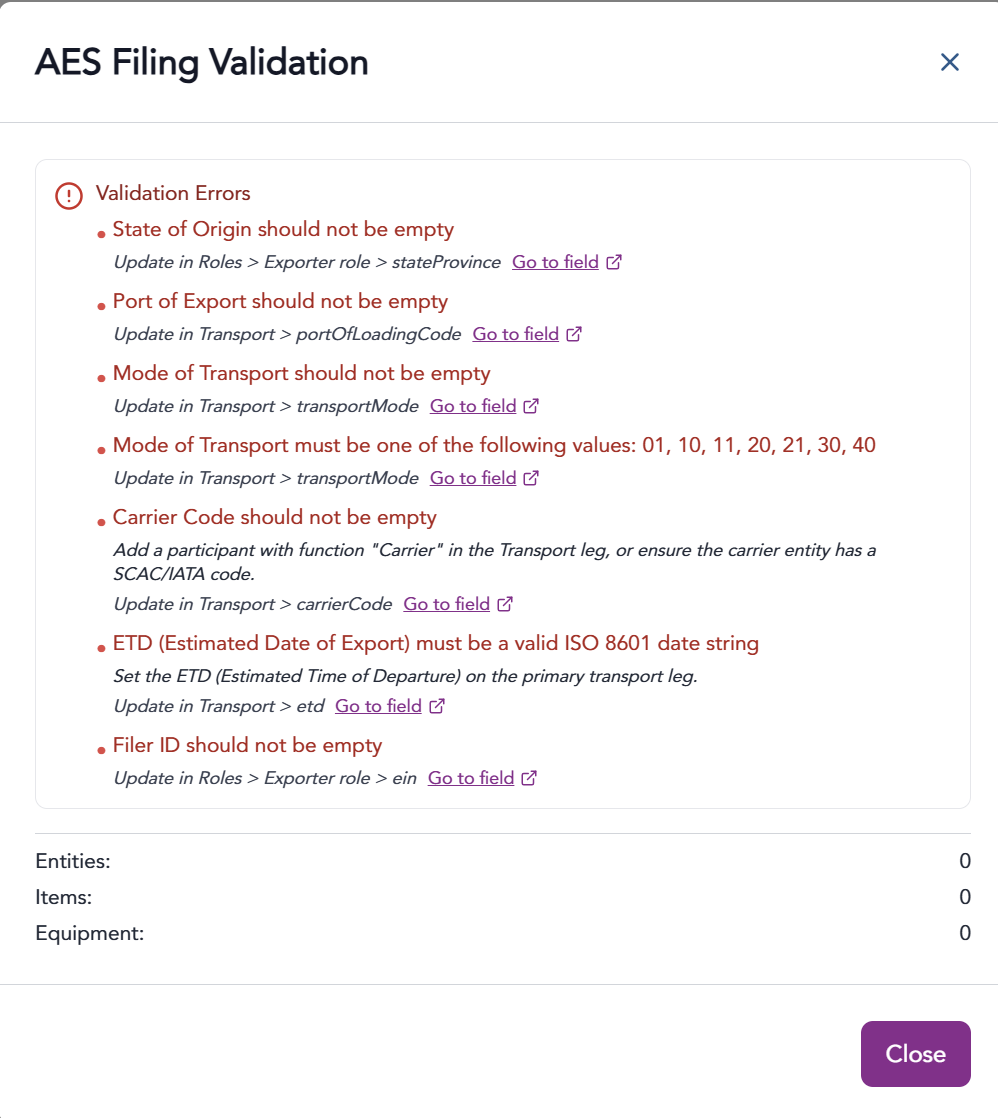
- From the validation summary, any errors will be identified with recommendations for correction.
- If the shipment is ready for filing, click the Submit Filing button.

- In AES/ACE, you then submit the information transferred from Trabex.
- Confirm the shipment within ACE – it should appear after transmission.
- Submit the shipment to AES from within the ACE portal. The shipment isn’t truly filed until this is done without errors.
- Return control back to Shipment Management.
The information provided on this website does not, and is not intended to, constitute legal advice; instead, all
information, content, and materials available on this site are for general informational purposes only.