
This guide explains how user accounts are created and how roles and permissions control what each person can see and do in Trabex. It is intended for administrators who manage user access and for business users who need to understand the available roles.
Video Link:
Trabex User Roles Permission Guide
1. Overview
Every person who uses Trabex has a user account with one assigned role. The role determines which modules and actions that person can see and use. Roles and permissions are configured separately for each environment, so your QA setup can look different from your production setup — useful for testing changes before they go live.
Key concept: environments are independent Users, roles, and permissions in QA are entirely separate from production. Creating or changing a role in one environment has no effect on the other, so QA is a safe place to test access changes before applying them in production. |
2. User Accounts
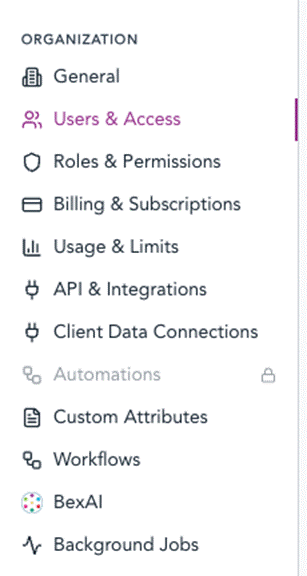
A Trabex administrator creates user accounts directly in the admin panel (accessed via the gear icon in upper right). The administrator assigns a role during setup and can update the user’s role and permissions at any time.
Every account also has a status of Active or Inactive, which administrators manage from the admin panel. Setting a user to Inactive suspends their access without deleting the account or its history, which is useful for employees on leave or accounts being offboarded.
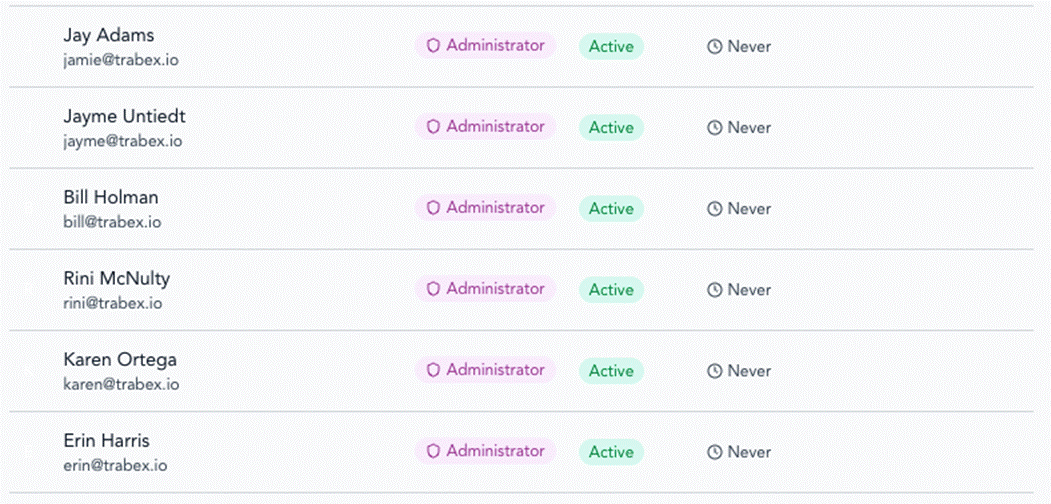
QA, 08/11/2026
3. Roles and Permissions
Trabex has four built-in roles. Administrators can also enable or disable individual functions within any role, module by module, giving you full flexibility to shape access to your exact requirements.
Role | Description |
Viewer | Read-only access across all modules. Good for stakeholders who need visibility without the ability to make changes. |
Editor | Can view and edit most resources. Cannot delete resources or manage administrator settings. |
Administrator | Full access to all tenant features, including user management, role configuration, and admin settings. |
API Client | A machine-to-machine service principal with scoped access, used for system-to-system integrations rather than a human user. |
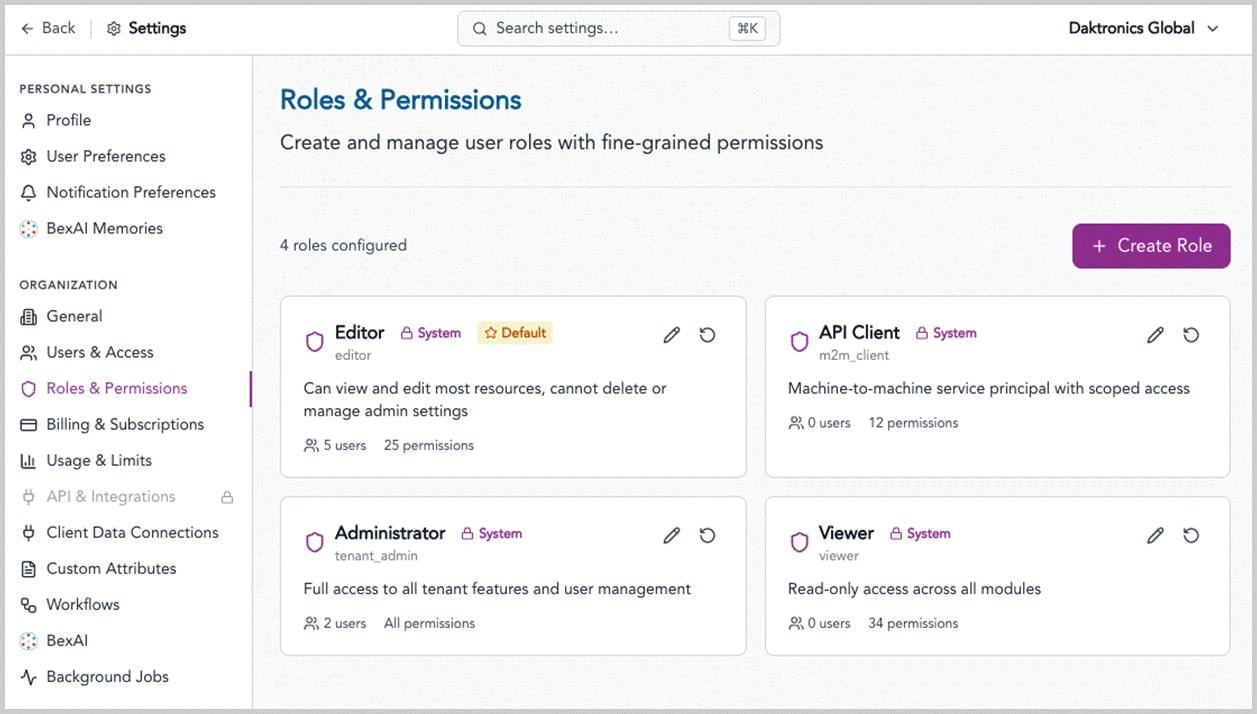
QA, 08/11/2026
3.1 Custom Roles
In addition to the built-in roles above, administrators can create custom roles. A custom role starts from a blank or copied permission set, and administrators choose exactly which functions are enabled for each module — giving you the same level of granularity as the built-in roles, tailored to specific job functions on your team.
Remember: roles are set per environment A custom role created in QA must also be created in production if you want the same access model there. Built-in roles (Viewer, Editor, Administrator, API Client) exist in every environment by default, but their enabled functions can differ between environments. |