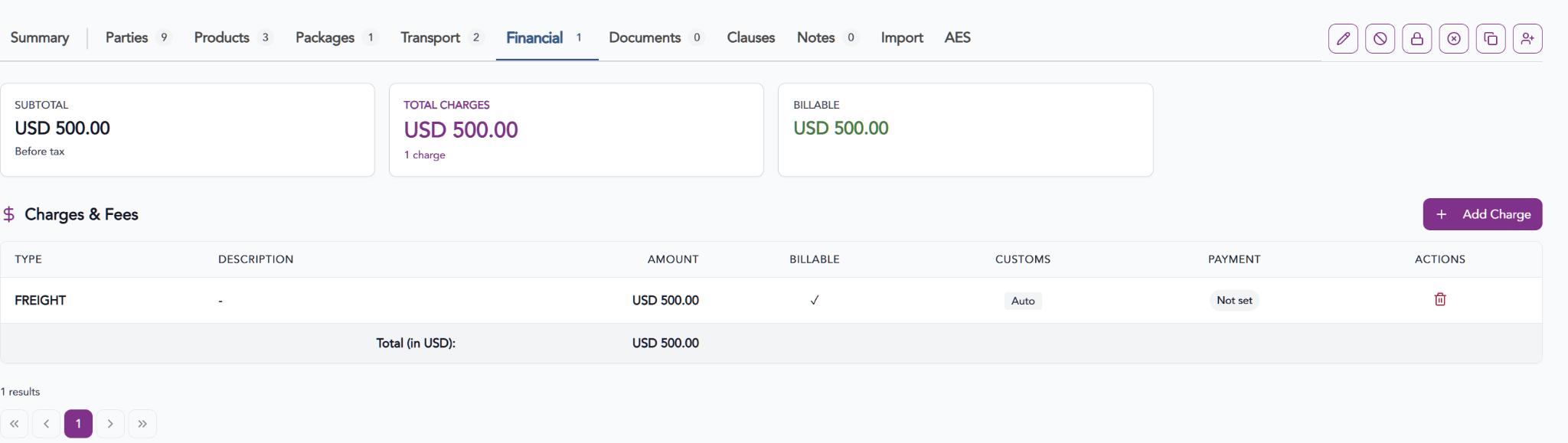
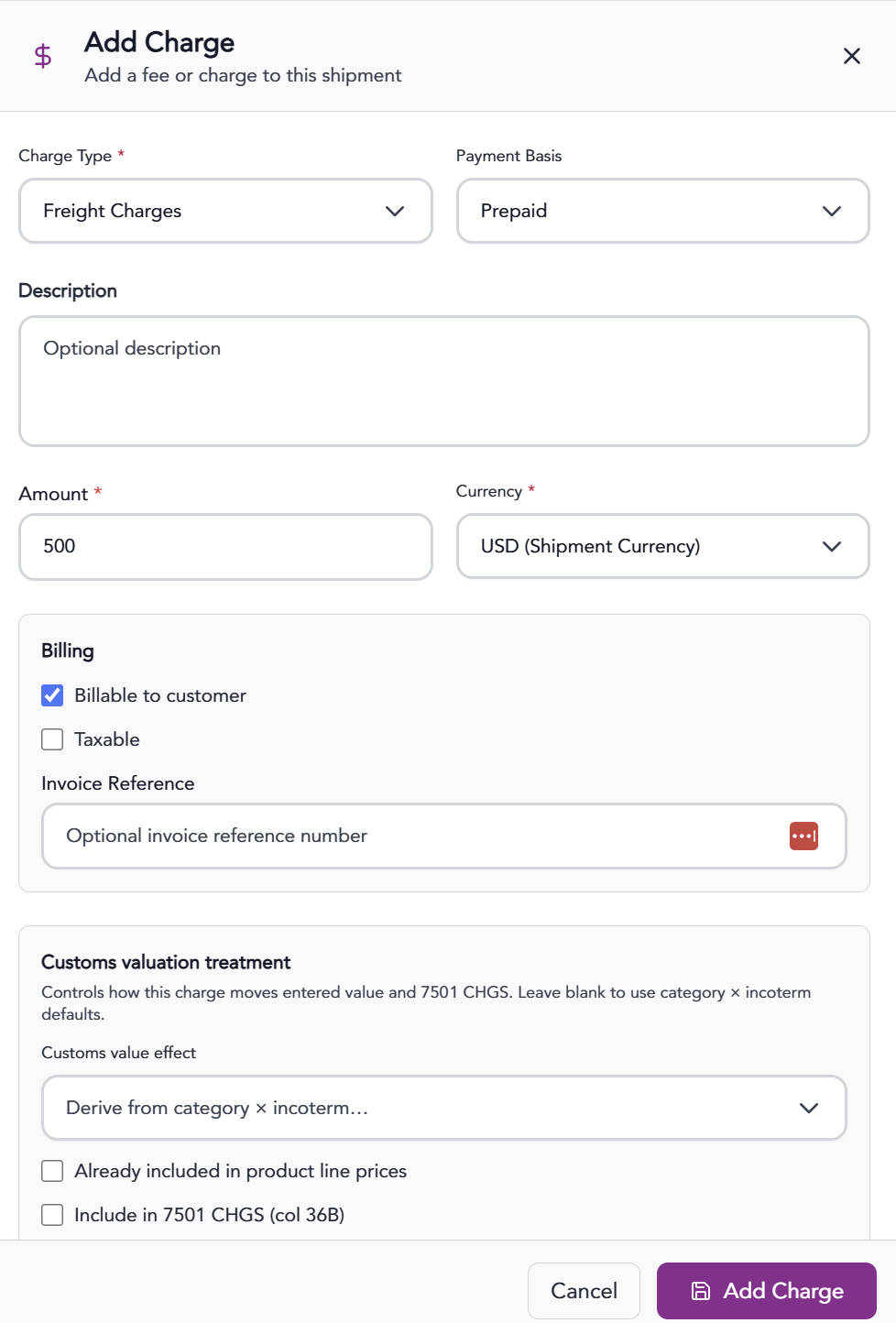
The Finances screen in Trabex V3 Transact allows users to record and manage financial details associated with a shipment. Depending on the requirements of the shipment, users can enter insurance details and other additional charges.

Available Financial Information

  • Freight Charges

  • Fuel Surcharge

  • Insurance

  • Duty

  • Tax

  • Handling Fee

  • Storage Fee

  • Customs Clearance

  • Documentation Fee

  • Other Charges


Adding Charges

  1. Click the + Add Charge button.

  2. Provide all necessary information.

  3. Click Add Charge

Important Considerations

  • Not every shipment requires information in all three financial categories.

  • Financial information should be consistent with the commercial invoice, shipping terms, and supporting transaction records.

  • Certain charges may affect customs valuation depending on the applicable import regulations and Incoterms.

  • Financial details should be reviewed and updated when shipment costs or payment arrangements change.

  • Accurate financial records help support consistent documentation and compliance throughout the shipment lifecycle.


Best Practice: Verify insurance amounts, additional charges, and payment information against the shipment's commercial documentation before finalizing the transaction.


The information provided on this website does not, and is not intended to, constitute legal advice; instead, all information, content, and materials available on this site are for general informational purposes only.