
Creating consolidated shipments has numerous benefits.
To create a consolidation, follow these steps.
- While logged into Transact, click on "Consolidations" in the navigation bar.
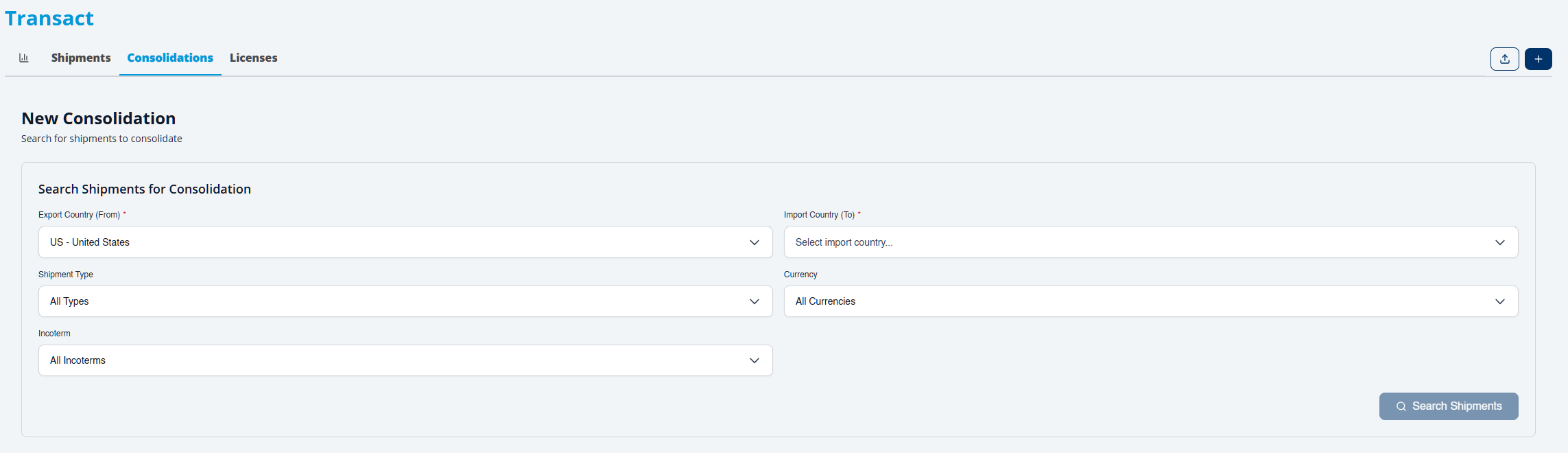
- Click on the + icon to start a new consolidation.

- On the next screen, you will be able to define the criteria for which shipments you want to consolidate. Selecting the export and import countries is required. Leaving the other fields as default will provide you with a list of shipments.
4. From the search results, you will see groups of shipments that can be consolidated.

5. Select the shipments to be consolidated and click the Create Consolidation button.
NOTE: Not all shipments can be consolidated.
In order to add a Shipment to a consolidation, or join multiple shipments into a new consolidation:
- Both the import and export counties must be the same.
- All of the qualifying criteria must be the same.
- The shipment must also be allowed to be consolidated by AES/ ACE standards., non-consolidateable shipments will not be listed in grouping.
Please review this article for why shipments may not be able to be consolidated, https://support.trabex.io/support/solutions/articles/12000039728-why-can-t-my-shipments-be-consolidated-.
The information provided on this website does not, and is not intended to, constitute legal advice; instead, all
information, content, and materials available on this site are for general informational purposes only.